The Aggressively Defensive Writing Strategy

Robert Wilhelm Ekman, Gustav II Adolf and His War Council at Würzburg, Public domain, via Wikimedia Commons

Strategy matters. If we’re not careful, our technical writing will be full of uncaught errors, wishful thinking, misplaced emotion, inaccurate promises, and unhelpful vagueness. This not only irritates our customers, it lowers our credibility: “Are they lying to us, or are they just incompetent?”

How does this happen? In several ways. It happens because we plunge into writing projects before we’re up to speed on the topic, then unknowingly write up our misconceptions. It happens when uncritically believe what the experts tell us. It happens when we need to say something, so we say…something.

And if that weren’t enough, the product changes out from under us. Things change and we aren’t told. Things that were supposed to happen, don’t, and we aren’t told. The scope shifts. The intended audience shifts. The sales pitch shifts.

“But the review process will save us, right?” Don’t count on it. The review process is weak, necessary but not sufficient. It finds only a fraction of the blunders. This is a fact of life. Exhorting others and ourselves to be more perfect doesn’t work. It just adds denial to the mix.

Most reviewers are capable of only one solid review, if that. With the best of intentions, their eyes will glaze over when they try to go over it thoroughly a second time. They’ll be able to focus only on the changes, and then only if they’re clearly marked. And this applies to us, too. We hit diminishing returns quickly.

So what can we do?

Defensive Writing

I usually write my documents from scratch: no one took a stab at it before I did. I often have a requirements document for the feature I’m documenting, and maybe an engineering spec, but these are internal documents not intended for customer use.

Still, starting from a blank slate lets me to choose my ground and pick my battles. One thing I pick is the avoidance of self-inflicted wounds. I call this aggressively defensive writing.

So here are my  guidelines for aggressively defensive writing:

Don’t make promises about the future (beyond the next release)

My documentation (and maybe yours) is supposed to be nonfiction. We can make it considerably less fictional by leaving out all the aspirational stuff that isn’t locked and loaded. If I’m documenting an upcoming release, that counts as the present day for my purposes, but the release after that doesn’t. I try not to mention it at all.

Similarly, I don’t list dates except for the actual release I’m documenting, and then reluctantly and only in one place. If I start scattering dates all over the place, I’ll surely miss some when it’s time to update them.

Aspirational dates that use only the month or quarter are usually a mistake with technical documentation. No one really expects a how-to product document to embed roadmaps and release schedules. Such things are corralled in their own documents.

Be Sparing with Placeholders

One fact of life in the writing business is that some of the stuff you need to remove before the document goes live, isn’t. Customers and management will see it.

Therefore:

  • Don’t put anything you wouldn’t want to be read out at a customer meeting in your drafts. No jokes, no grumbling, no whining.
  • Use as few placeholders as you can. A “TBD” here and there is often unavoidable, but you don’t want “picture goes here” placeholders, especially if they’re still there months or years later. You’re better off if the placeholder was never there in the first place.

Don’t Use Bad Text

When you need to say something in the current section but don’t have the information you need to say it fair and square, it’s tempting to either make something up that matches how you hope the product works, or to put in some kind of vague gibberish. Both are mistakes.

If you use wishful-thinking text, even people who know better are likely to accept it if it sounds logical, so it’s likely to slide through review uncorrected. This may be even more true of gibberish, since reviewers won’t know what to do, exactly, with your fluffy meaninglessness.

Set the Scope of the Document to Match the Available Information

When writing up a new feature that hasn’t left the lab yet, I’d like to give the customer some best-practices advice for gaining the greatest practical value from it, but this isn’t actually known yet. What to do?

If I can get my hands on the feature and put it through its paces as a customer would, which I always do if I can, I’ll have at least an inkling of what the best practices are. If not, I’m just guessing.

Either way, having a formal “Best Practices” section is premature. It’s a task for later, when we update the document. As for my tentative best practices, I give them as examples, without using the “Best Practices” label. That’s honest.

This approach of documenting only what we actually know unless positively forced by necessity is especially effective if we structure our documents to present this limited scope as if it were perfectly natural, removing vestiges about what we wanted to include, but couldn’t.

No Pro Forma Content

Which brings me to my next tip: No pro forma content. Sections that don’t say anything useful to the customer shouldn’t exist. Unless forced, don’t take official templates or your predecessor’s willingness to waste the customers’ time as gospel.

For example, I almost never use a “Conclusions” section and I often don’t have an “Introduction” section, either. (I always start a document with at least one introductory paragraph, but I don’t bother with a heading unless the introduction becomes pretty massive.) I never use the “tell them what you’re going to tell them, tell them, then tell them what you told them” format, either. It just trains the readers to ignore your summaries.

Omitting pro forma content is also useful when dealing with reviewers. By presenting them with nothing but real content that’s supposed to provide genuine information to the customers, and by minimizing repetition, they’ll know that you mean it.

“Just the Facts, Ma’am”

Dragnet was a 1960s cop show where the detectives would remind people to focus on the facts. “Just the facts, ma’am” entered popular culture. In technical documentation, it’s it’s good advice. Instead of toying with the customer’s emotions through hype, or assuaging our own emotions by making excuses, it’s best to stick to telling the reader what the product actually does and showing them how to use it, and doing it as simply and clearly as we can.

We don’t have to be boring about it, but it’s a mistake to tell the customer that a feature is wonderful or exciting. They won’t take our word for it, and every time they reject one of our claims, they trust us a little less. We should be telling them things they can trust, in a tone that sounds trustworthy, never pushy or desperate.

This comes in especially handy when describing nasty bugs or frustrating limitations. It may take a couple of passes, but laying out the facts of the product’s misbehavior calmly, even blandly, is our friend. Yes, the news may upset the customer, but they should be upset on their own initiative, not because we prompted them!

Longer Documents

With short documents, especially ones that can be done in a few hours, the above advice is probably good to go. Longer ones need a scaffolding of structure and especially placeholders to keep you and everyone else from becoming lost. So the “no placeholders” rule has to be dispensed with for a while.

My preferred method is to create an outline and then instantly convert it into a storyboard: that is, to convert it into a formatted though rather empty document, usually in Word.

For example, the document’s headings would be converted into standard Word styles like Heading 1, Heading 2, and so on. The synopsis of each section would get a custom style called Synopsis, which I’d put into italics to set it off from the actual draft. This allows people other than myself to understand what’s being asked for in each section. Once a section is fully drafted, I delete its synopsis.

If I’m asking other people to provide tables, screenshots, or diagrams, I’ll add empty rectangles with a description of what I want, or tables with just a header row, to show them what I’m looking for and the context in which it’s used. If I’m going to provide them myself, I often omit these placeholders, since their need will be obvious to me as I write the section.

The trick here is to provide enough structure and a synopsis of what each section is supposed to hold, but without pretending to be the actual content. By putting the sadly inevitable placeholder material in its own styles, fonts, and perhaps colors, it’s less likely to slide into the shipped document.

Technical Writing’s Big Secret

How I Did It by Victor FrankensteinFrom time to time a manager or engineer asks me the following question: “Most technical writers don’t have much technical training. How do they write documents for products they don’t understand?”

The answer is, “They don’t. If you don’t understand it, you can’t explain it.”

The whole point of a technical document is that it tells the reader how to use a product. This can only be done by a writer who knows how to use the product.

Sure, if the product can be used successfully by a technically unsophisticated reader, the manual can be written by a technically unsophisticated writer. It helps if the writer has enough background to understand the designers’ technical jargon, but this isn’t absolutely necessary. Someone is going to have to translate it for the layperson anyway, and it doesn’t have to be the technical writer.

But things get complicated when the readers are sophisticated, and use the product in a sophisticated way. For example, a statistical software package cannot be adequately documented by someone who knows nothing about statistics. An integrated circuit cannot be documented by someone who doesn’t understand circuit-board design.

People sometimes assume that “being technical” is a personality trait. It isn’t. Only relevant training and experience counts. I’m very technical when it comes to digital electronics, but I know nothing about biochemistry. I once had a summer job in a biochemistry lab. I learned how to run the autoclave and perform other tasks, but I never grasped what the researchers around me were trying to learn, or how their experiments achieved this.

The Big Secret

The big secret in technical writing is that most of the harder documents aren’t written by the technical writers at all. In fact, many “technical writers” never do any writing. Instead, the drafts are written by engineers or marketers. The technical writers perform editorial functions and provide publications services—copy-editing, desktop publishing, review management, and so on.

The phenomenon of technical writers who do not write is so pervasive that I once interviewed a technical writer—a man with 15 years of experience at a prestigious high-tech company—who was visibly startled when I told him that, in my group, we wrote documents from scratch. He’d never heard of such a thing.

Job titles betray no clue about a technical writer’s qualifications. Regardless of the writer’s background, background, the title is “Technical Writer” or “Documentation Specialist” or even the vaguely Orwellian “Information Designer.” Or possibly “Desktop Publishing Specialist” or “Secretary.” But managing your documentation projects requires that you know who is capable of doing what.

The problem is that the demand for technical writers greatly exceeds the number of technically trained people who prefer writing to other work. Non-technical folks have been sucked into the vacuum. Often these are college graduates with a liberal arts background. They may be excellent writers on their own turf, but nothing in their training prepares them for the world of high-tech.

Who Writes the Draft?

The first draft must be written by someone who can understand the product. There is no getting around this. If you can’t find a technical writer who can do it, someone on your technical staff has to.

The technical competence of your technical writers determines your entire plan of attack. Writers who are technically competent should be given the entire documentation task, so you can free up more design resources. Ideally, the technical writer should be brought in early, so the documentation can take form well before it is released to customers. This aids both the design and the selling process. It’s usually possible to have a mostly-final draft well before the product is shippable.

If you don’t have writers who can write the draft, the task must be assigned to someone who can. This should be planned for from the outset. Writing is difficult and slow. It cannot be done in an overworked engineer’s “spare time.” This requires planning and management.

A technical writer should be assigned to maintain the document. My rule of thumb is that half the labor of creating a document goes into writing the rough draft, and the other half goes into smoothing it up: editing it, laying it out, correcting it, and getting it out the door. This means that the not-so-technical writers can still shoulder half the burden of even the most insanely technical product. Also, while writing the rough draft is painful, the endless series of revisions and small corrections that follows is even worse. Technical writers are used to it.

Finding Technical Writers Who Are Technical

In the high-tech industry, there are three categories of technically inclined writers.

  1. Engineers who prefer technical writing  are as rare as hens’ teeth. I am one. I’ve met three or four others so far in my career. Such writers have great advantages. Simply by surviving a college engineering curriculum, they have demonstrated that they can absorb difficult material from textbooks and mumbled lectures, and ought to be able to bring themselves up to speed quickly on a new design or new technology.
  2. Engineering technicians often make great technical writers. They are comfortable around engineers and have a lot of applicable hands-on experience. They know they don’t have the same training as the engineers and aren’t expected to, so they tend to be up-front about material that goes over their heads.
  3. Experienced technical writers who have picked up skills on the job. The difficulty lies in distinguishing them from writers with  shallower experience who perform well at job interviews.

The Toaster Test

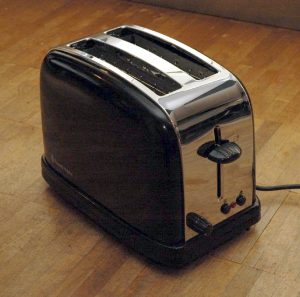
I used to test candidates by asking them what topics should be covered in the operating manual for a toaster. At first, I thought this test was so easy it would be worthless, but it turned out that many candidates who were well-spoken in interviews had no grasp of the fundamentals of clear writing.

For the record,  I figure that a toaster manual ought to contain the following sections, many of which would be no more than a paragraph in the finished document:

      • Theory of operation (what a toaster is for—no more than a sentence unless you expect the product to be used by aliens)
      • Unpacking and setup
      • Purpose of each control
      • Operation
      • Safety
      • Cleaning and routine maintenence
      • Things that shouldn’t be cooked in a toaster (if not covered under “Safety”)
      • Recipes, if by some miracle you can think of something new and tasty that would increase the reader’s enjoyment of the toaster
      • Troubleshooting, which will be on the level of, “It works better if you plug it in” unless the design is seriously flawed.
      • Specifications: voltage, amperage, physical dimensions, color choices (though it’s a little late now).
      • Contact and warranty information.

Competent technical writers can dash off something like this in a few minutes. Some can dictate one without stopping to think. But I received some efforts that were truly ghastly.  Not in terms of spelling, punctuation, or sentence structure. These were perfect. It’s just that none of the sentences expressed anything that a reader would have cared to know.

Speaking of tests, I know some people who screen resumes and cover letters by looking for errors in punctuation and grammar, and disposing of anything that isn’t 100% perfect. This is pointless. Everyone in the publishing industry knows that people are terrible at finding errors their own work; that’s what reviewers and copy-editors are for. The only thing that typos in a resume and cover letter mean is that the writer was working alone.

You may want one anal-retentive person on your team whose job is to find such errors, but if you saddle yourself with an anal-retentive writer, good luck ever getting them to finish a project.

Conclusions

    • Drafts of technical documents must be written by someone sufficiently technical to use the product.
    • If your writers aren’t this technical, some or all of the manual must be written by someone else.
    • Knowing the technical limits of your writers will allow you to assign the chore of writing the first draft correctly.

Beating Some Performance Into WordPress

I’m a compulsive optimizer, which makes it unfortunate that I have so many WordPress sites (for my businesses, for my interests, for my friends), because WordPress is slow out of the box. So now what?

Faster Alternatives to WordPress

In the category of, “Now you tell me,” it turns out that a competing open-source blogging/content-management system, Drupal, has just undergone big changes to make it fast by default. You can read an interesting article on Performance Planet about this.

Speeding up WordPress With Sneaky Caching

You can take as deep a dive into WordPress as you like, but it boils down to something very simple:

WordPress is slow when it has to render a blog post or other page from scratch, so don’t do that more than once. That’s what caching is for.

Sadly, WordPress makes the assumption that pages should be as non-cacheable as possible, and that your readers like nothing more than to wait a couple of extra seconds while a blog post that hasn’t changed is recompiled for no reason.

Fixing this can be done in different ways: pick your poison. I did a three-step fix:

Step 1. Install a WordPress Caching Plug-in.

I like WP Super Cache. This is not absolutely necessary, but it makes the other steps easier WP Super Cache has an unusually simple user interface and is easy to get running. (Install it and enable it with default settings.  That’s enough to start with.)

Step 2. Edit your Apache configuration to undo WordPress’ anti-caching decisions.

WP Super Cache creates a distinctive Cache-Control header when it serves a cached file, and WordPress creates an equally distinctive Cache-Control header for other WordPress files. This allows me to fix the caching in four configuration lines (which can go into your .htaccess file or a customer configuration file. And, unlike editing the relevant WordPress files themselves, which I’d have to do once per blog, I can make this Apache fix just once per server.

First, let’s extend WP Super Cache’s paltry three-second expiration time to something three orders of magnitude longer. I chose 3333 seconds (55.55 minutes) to make the results more distinctive-looking in the logs:

Header always edit Cache-Control "max-age=3, must-revalidate" "max-age=3333"

WP Super Cache is declaring, in the Cache-Control: header, that one of its cached pages is good for only three seconds. During that time, it can reuse the page without contacting the server to see if there’s an update. After that, the brower must revalidate its copy by contacting the server. If the file hasn’t changed, the browser can reuse it. Otherwise, it fetches a fresh copy.

I’ve replaced this with a simple, “max-age=3333.” (For debugging purposes, I use distinctive numbers.) This means the page is good for 55.55 minutes, and once you have a copy, you don’t need to check with the server until this time has elapsed.

Since my Web pages are rarely updated, and don’t announce things that are particularly time-critical, it wouldn’t really matter if the max-age were extended to a day, or a week, or even longer.

As the author, it matters to me, though. I don’t want to have to remember to hit the refresh button on my browser every time I update a page, because sometimes I’ll get forget, and then I’ll wonder where my edits went.

But WP Super Cache’s (default) options is to not deliver cached pages to logged in users, but create a fresh rendition each time, so that’s taken care of.

Now let’s do something about any WordPress pages that WP Super Cache doesn’t handle.  This takes three lines:

Header always edit Cache-Control "no-store, no-cache, must-revalidate, post-check=0, pre-check=0" "max-age=2"
Header always unset Expires
Header always unset Pragma

Once again, I’ve thrown away all of WordPress’s fussy cache-busting clauses in the Cache-Control: header, and replaced them with a simple “max-age=2.” I also throw away the Expires: and Pragma: headers, which do nothing but duplicate what’s in the Cache-Control: header anyway.

This is a minimalist approach. I actually had something a bit fancier in mind, but Apache thwarted me with mysterious refusals to do what I wanted. Whether it was an issue of syntax, scope, or Apache bugs was unclear, so I’ve shelved that for now.

Step 3. Install a Squid “Reverse Proxy” Cache

This last step is a topic for a future post, but placing a Squid proxy cache on my Web server allows much higher resilience and performance, now that I’ve forced the WordPress traffic to be at least minimally cacheable.

Conclusions

These changes allowed me to greatly speed up my Web sites, which are doing quite well on speed tests in spite of my using a  no-frills, $7 per month virtual private server as my main Web host.

In particular, the “time to first byte” is quite good. (Annoyingly, my test page got a lousy score for caching static content. This was almost entirely due to resources loaded from external sites. My stuff was fast!)

Effect of caching on WordPress

I have some other tricks up my sleeve as well, but they’ll need to wait for another day.

Using Laptops as Blackout-Proof Servers

I live in the country, and the power goes out from time to time, so I like having an extended-run UPS. For my work to continue without interruption, I need to power my DSL link, my server, and the system at my desk. The less power these consume, the longer I can keep working, using only the power provided by my UPS system.  My target is four hours, which would get me past most power outages without having to lift a finger. Beyond that, we’d be firing up the generator for other reasons anyway.

I’ve been using a laptop as my “desktop” computer for some time. I still use my two big external monitors, external keyboard, and external mouse, but they’re plugged into a laptop computer. All the stuff at my desk adds up to about 50 watts.

It occurred to me that I could use another laptop as my fileserver, retiring the tower-case server I was using before, I could cut the power required by this and my DSL modem to about another 50 watts.

Basic Blackout-Proof Server Concepts

  • The laptop’s battery is not a major consideration. Yes, a laptop is a pretty self-contained entity, and can power anything you plug into its expansion slots and most of the things plugged into its USB ports. But until I can find a VDSL modem that can power itself from a laptop’s USB port, I’m off the air if my only power source is the laptop’s battery. So while I’m keeping an eye out for such a device, right now I’m designing around the UPS’s battery power, not the laptop’s.
  • The whole chain from the VDSL modem to my desktop has to stay up. This includes my server and a couple of Ethernet switches.
  • WiFi also has to stay up, to make my phone happy and keep the rest of the family from coming after me with a meat cleaver.
  • The setup has to be generator-friendly, for extended blackouts.
  • Inexpensive. While one can always justify spending money with a productivity argument, I still don’t want to spend much.

Setting up the UPS System

I’ve gone through a lot of UPS systems, so I can offer some guidelines:

Avoid Consumer-Grade UPS Systems

I have two APC Smart-UPS systems from 1994: more than twenty years old! My newest UPS is an APC Smart-UPS system from 2004: more than ten years old. The commercial-grade UPS systems last forever. (None of them are on their original batteries, of course.)

But I’ve also had a number of Belkin, APC Back-UPS, and APC Back-UPS Pro systems, and they’re all long gone. So buy Smart-UPS systems, or the equally robust offerings from APC’s competitors. (I’m told Eaton makes some good products.)

Run Time = Battery Weight / Power Consumption

The things that will determine how long your UPS can keep things going are how many pounds of batteries it has and how low your power consumption is. Teeny-tiny batteries won’t cut it. Also, lead-acid batteries in true sine-wave UPS systems are monstrously heavy, in terms of pounds per hour of run time, compared to your laptop’s batteries. Fact of life.

For example, let’s take the APC Smart-UPS 700XL/750XL and 1000XL, which use the same batteries and have the same runtime at low load. At 50 watts (my target load) and new-ish batteries, their runtime is 250 minutes, which is ten minutes longer than my target of four hours.

And what does such a UPS weigh? Over 60 pounds!

According to an old APC run-time chart, here’s what you can expect at 50 watts from different Smart-UPS models:

Smart-UPS Model Run Time at 50 VA (minutes)
 700XL, 750XL, 1000XL  250
 2200  366
 1400 251
 1000  150
 700  140
 450  100

Not surprisingly, extra-long-duration models, the XL series are the models of choice. To get similar run times in non-XL models, you need something designed more to power enormous loads than to last a long time.

In addition, the XL models support external battery packs. A single battery pack more than triples the run time, to 14.5 hours at 50 watts! And you can string up to ten battery packs if your wallet can stand it, for more than four days of run time.

Buy a Used UPS and Aftermarket Batteries

  • Many people are eager to discard an entire UPS when the batteries fail, so used UPS systems are inexpensive.
  • Also, most UPS failures are really battery failures, but often they seem like something else. Never toss out a UPS until you’ve tested it with known-good batteries, but be aware that other people toss out UPS systems all the time. You can often get them for free!
  • The idea that “I can get a new UPS for only a little more than a new set of batteries” is an artifact of grotesquely overpriced batteries by manufacturers like APC, and has little to do with reality.
  • In short: never buy a new UPS. Never buy replacement batteries from APC.
  • UPS batteries tend to fail after 2-5 years. Some batteries are better than others, but I’m looking at my collection of dead batteries, and I don’t see a lot of evidence for preferring one brand to another, except that the APC batteries of twenty years ago seem a lot better than their current ones.
  • Batteries often swell as they fail, making them stick inside the UPS. I use WD-40 to help get them unstuck. Sometimes I have to partly disassemble the UPS case.
  • Swollen batteries often crack as well. Fortunately, these aren’t flooded-cell batteries, so they don’t leak much. Still, use precautions as if they were car batteries: wear eye protection at least.
  • Some replacement batteries come with any necessary connectors and usually cost a little more. Some expect you to reuse your old ones. Pick your poison.
  • Some people online make a big deal about UPS battery safety, as if they’d never handled a car battery. If you know how to handle a car battery, do that. Otherwise, find out. You need to know these things.
  • I’ve used all of the following combinations: buying a UPS new (locally and by mail-order), buying a refurbished UPS that shipped with new batteries, buying a used UPS by mail-order without batteries (don’t pay someone to ship you dead batteries!), buying a used UPS with dead batteries locally, buying batteries by mail-order, buying batteries locally. For me, it comes down to total price. Availability isn’t an issue, since these units and batteries are easy to find.

Setting up a Laptop as a Server

Here are my considerations in setting up a laptop server:

  • Reasonable speed. Frankly, I’m not putting serious demands on my fileserver, and almost any laptop will do. I chose a Lenovo Thinkpad T400 because I had a couple lying around. These dual-core, 8 GB RAM systems have more than enough horsepower for my purposes.
  • Reliability. I have 100% hardware redundancy (though the second system is not actually set up in a high-availability configuration). I also used mirrored drives, mounting the second one in the DVD bay. That gives as much speed and reliability as the system is capable of delivering.
  • Dual Ethernet ports. Personally, I like having the nasty, scary Internet and my local LAN on entirely separate networks. I use CardBus Ethernet cards for the second port, though a USB-based port is also an option. Using the laptop to separate my LAN from the Internet is one reason why my server needs to stay up during power outages: if it goes down, there’s no connectivity. That’s a tradeoff I chose to make.
  • BIOS auto-boot support. My T400 laptops don’t support rebooting when power returns, so once they run out of juice, they’ll stay off. This feature was added to the Thinkpad T series with the T420. I plan to deal with the issue by using the wake-on-LAN feature in my WiFi access point. When the access point boots, it should then boot the laptop through WOL. Haven’t tried it yet, though.
  • CentOS Linux with OpenVZ. Pick your poison. Most of my Linux experience is with servers and network appliances, which tends to mean CentOS, and I like the OpenVZ virtualization environment because it’s fast and suits my purposes.
  • UPS monitoring software. I use APC Smart-UPS boxes, so I use the free apcupsd package to monitor them. Not that, for this use case, monitoring is all that necessary. Set the laptop to shut itself down when its own internal battery runs low, and you don’t really need to monitor the UPS at all.

Dealing with Power-Hungry Equipment

That’s fine for my DSL modem and server laptop, but what about my other computers? I put these on a different UPS. For these computers, using a UPS monitoring program is a good idea, so they’ll shut down automatically when the UPS starts running out of steam. The free PowerChute and apcupsd programs let you do this.

Generators and UPS Systems

I find that the SmartUPS systems shine when used with a generator. Ordinary UPS systems switch over to battery whenever the generator voltage is too high or too low. I’ve seen them spend so much time on battery that they can’t charge off the generator. The SmartUPS systems automatically adjust to high and low voltage with their SmartBoost and SmartTrim features, making them trouble-free even on a blinky, maxed-out generator.

I had to stop using a couple of UPS systems that I was otherwise happy with, just because they didn’t play nice with my generator.

Using Conventional (Flooded-Cell) Batteries

UPS batteries are no-maintenance, spill-proof batteries, and these are 5-10 times as expensive as flooded-cell RV batteries. (RV batteries are the same technology as car batteries, but handle deep discharge better.) Many people, including me, have used such batteries with their UPS systems. I wrote about this back in 2008 in a blog post called The Extended-Run UPS Trick.

Using RV batteries worked just fine, actually, with the following caveats:

  • UPS batteries need to be charged to a higher voltage than RV batteries, and the excess voltage causes evaporation from the RV batteries. I had to add something like half a gallon of distilled water per battery a couple of times per year. I often forgot to do this.
  • This outgassing takes a bit of acid with it. My batteries were under a metal desk, and the underside of the desk had rusting and peeled paint in the areas closest to the batteries. (No fair! I paid ten bucks for that desk!)
  • The usual safety precautions for deep-cycle batteries need to be observed. Sites that talk about solar collectors will have lots of information about this.
  • I only tried this on commercial-quality UPS systems like the Smart-UPS. Unlike el cheapo systems that expect to run only a few minutes as your PC shuts down, these have fans that can keep the UPS cool indefinitely.

Actually, I’m not sure any of those batteries have gone bad, even after all these years. I just got tired of (not) topping them off with distilled water and chose to cut down my power consumption instead.

Some people have played around with hardware modifications to their UPS systems to lower their charging voltage. This would reduce outgassing and increase battery life.

DC Alternatives

Since it’s easy to find car chargers for laptops and other low-power devices, you can also get rid of the UPS altogether, and just use a battery and a battery charger. The battery charger will need to produce more output than you need for your electronics, or it won’t be able to charge your battery.

For very little money you can get 12V laptop adapters and power adapters for all your devices. If you have some 5V devices, you can even run them off USB ports! See some ideas below. (Keep in mind that I haven’t tried this.)

Commuting by Train on the Amtrak Cascades

Train travel are an alternative to flying for professionals in the Pacific Northwest, using the Amtrak Cascade route between Eugene, OR and Vancouver B.C. Because the delays associated with airport security don’t happen with trains, the total trip time is not much less traveling by air, and the train provides a much better working environment for business travel. Amtrak trains offers a convenient alternative to flying and long-haul driving even to people like me who live in the country.

For eight months, I commuted two days a week to a client’s site 122 miles away from my office. I live in Blodgett, Oregon, a small town in Oregon’s Coast Range, not far from Corvallis and Oregon State University. My client was a semiconductor firm just over the border in Camas, Washington.

For me, this was something of a luxury. Most of my clients are in Silicon Valley and are so overworked that they actually don’t want to see me more than absolutely necessary. They meet with me, on average, once or twice per project, and we keep in touch mostly by email. This gives them the maximum amount of control over their time. I am an electrical engineer by training (one of only a handful in the writing business), and I don’t need much support to get the job done.

But this client was only 122 miles away and actually wanted to see me a couple of days a week. This frequent contact tends to result in a faster and better document, but with a much larger investment of the client’s time.

I drove the 244-mile round-trip two days a week in June and July. It was very wearing, especially on the return trip. I started giving thought to riding the train.

The Amtrak Cascades are high-class commuter trains, with good seats, AC power in every row, and a Bistro car with an excellent menu, as these things go. The fares cost less than the standard mileage rate.

The basic problem with the Amtrak commute was this: I could drive to the station closest to my home (Albany) and get on the train. No problem. There was plenty of free parking. But what about the other end? The closest station to Camas was at Vancouver, Washington, which was a twenty-minute drive to my client’s site.

I was mulling this over when it dawned on me that Vancouver, too, had free parking. Why not keep an old car in the station parking lot and use it to shuttle between the station and my client? I even had an old car I wasn’t using for anything; my trusty VW Rabbit, which I’ve had since the Carter administration. I asked at the Vancouver station, and the station staff had no objection. There was plenty of free parking, and there had been no trouble with vandalism. With a Burlington Northern and Santa Fe depot right next to the Amtrak station, I figured that railroad people would be coming and going at all hours, and even vandals are probably smart enough to avoid confrontations with railroad workers.

So I was looking at a drive from my farm in the Coast range to the Albany station, a train ride to Vancouver, and another drive from Vancouver to Camas. Was it practical? Was it an advantage? Here is how a commute looked before and after the switch to the train:

Before

5:30 AM
Get in the car and hit the road
8:00 AM
Arrive at the client’s site
5:00 PM
Leave the client’s site (bill 8.5 hours of work)
8:00 PM
Arrive at home.

After

5:30 AM
Get in the car and hit the road
6:28 AM
Board the train at the Albany station
9:07 AM
Get off the train at the Vancouver station (bill 2.5 hours of work)
9:08 AM
Get in my second car
9:30 AM
Arrive at the client’s site
4:00 PM
Leave the client’s site (bill 6 hours of work)
7:15 PM
Get off the train at the Albany station (bill up to 2.5 hour of work)
8:00 PM
Arrive at home

As you can see, the total time away from home was the same (a very long day) in both cases. The important differences were twofold:

  1. If I felt tired, I could relax, close my eyes, or even sleep on the train, which I couldn’t do when driving. When driving, I always arrived home exhausted. When taking the train, I was in much better
  2. If I didn’t feel tired, I could work up to five hours on the train, stretching my working day to 11 hours. When driving, the maximum was eight hours.

On an average day, I worked straight through in the morning, but didn’t work on the return trip at all, but took it easy. But the extra time was there when I needed it. Even an hour spent working on the trip home helped put me on top of my workload.

Work Environment

What kind of work environment does the train provide? I was surprised at how easy it was to get work done on the train. There aren’t a whole lot of distractions. The movement of the train makes your handwriting shaky, but it doesn’t interfere much with using a laptop computer. I have drawn intricate diagrams using my laptop while traveling over bumpy stretches of track. It slows you down some, but not much.

The seats and tray tables are much larger than on airliners, and there’s more leg room. The crew encourages you to work in the dining car if it isn’t crammed wall to wall with diners. And you can always get up, stretch your legs, or have a snack on the train. All in all, I find an hour on the train is much more productive than an hour on an airplane, and you don’t have to go through security or arrive early the way you do when flying.

Cell phone reception is pretty good, too, but I rarely used the phone while on the train. As a writer, one of my biggest obstacles to success lies in coming up with large blocks of ininterrupted work time, and I used my time on the train to get things sorted out and written down. Other riders often made one phone call after another on the train.

Fellow passengers were usually quite friendly and were understanding if I wanted to keep my head down and plow through work instead of talking to them. The trains are rarely full south of Portland, though they are frequently full between Portland and Seattle. The upshot was that I could always use the seat next to me, and its tray, between Albany and Portland.

Schedule

The trains sometimes run late. My experience was that the morning run was almost always on time, and often arrived a few minutes early in Vancouver. The evening return trip almost always arrived in Albany between 15 and 45 minutes late.  The people who were most upset by the erratic arrival times of the evening trip were those who were being met at the station. They would have to get on their cell phones and give updates to the long-suffering friends and relations who were going to pick them up. Since I was driving my own car, this was not a problem for me.

The train is much more likely to be on time in Washington than Oregon. In Washington, the tracks are owned by BNSF (Burlington Northern & Santa Fe), which has a good relationship with Amtrak. Their dispatchers whisk the train along as briskly as they can. In Oregon, the tracks are owned by the Southern Pacific, which is apparently engaged in a permanent feud with Amtrak. The train will spend random amounts of time on sidings to allow slow freights to lumber by.

Movies

There are several TVs mounted near the ceiling in each car, and each seat has a headphone jack so you can listen to it. If you take a full round-trip between Eugene and Seattle, you will see four movies: one between Eugene and Portland, one between Portland and Seattle, and two more on the return trip. What kind of movie is shown seems to vary randomly over time. It could be anything from the latest Tom Clancy thriller to black-and-white classics. Sometimes they change the movies weekly, sometimes monthly. Once they showed the Marx Brothers in “Duck Soup” on every trip for six weeks!

If you forget your headphones, you can buy a set in the Bistro car.

Costs

Tickets bought with a AAA discount varied from between about $25 and $40 (between Albany and Vancouver), depending on how many people got in ahead of me and bought up the cheaper seats. Various promotions are used, off and on, during the slower parts of the year. The best deals seem to be available over the Internet (http://www.amtrak.com/), as Amtrak is trying to shift people to this convenient booking mechanism.

Limits

I felt that the Albany-Vancouver run was about my limit for twice-a-week commuting, but I met one guy on the train who commuted between Eugene and Portland five days a week. He would step onto his morning train at 5:30 AM and step off his evening train at about 8:30 PM. That’s an awfully long day, but he seemed happy with it.

From the Albany station, I can reach Seattle after lunch and be on my way home in the early evening, spending roughly half a day at the client’s site. This gives me roughly the same schedule I have when I fly in for a whirlwind client visit to Silicon Valley.

Update, September 2005

I rode the Cascades again recently, and things are much the same. The Albany station has been remodeled, and the horrible gravel parking lot has been replaced by a nice paved one. The Oregon City platform is open, adding a much-needed station between Salem and Portland. Otherwise, it’s much the same and still very pleasant.
One thing that surprised me was that my tickets were cheaper than ever! But the train was unusually empty. The conductor reported that the train is usually full between Portland and Seattle, as it has always been, though it wasn’t that day.

Tips

  • Try the clam chowder.
  • The tables in the dining car don’t have AC outlets, so it’s hard to use a laptop there for long periods.
  • The back rows in some of the cars have only one seat. Taking this seat can guarantee you don’t have a neighbor. The row in front of you has two seats, so you get a second tray table you don’t have to share.
  • The tables on the seats are big enough for a laptop, but not a laptop and a mouse.
  • The train sometimes has its water system shut off while sitting in major stations (Portland, Eugene, Seattle), so if you’re in the bathroom and put sixteen pumps of liquid soap on your hands and discover there isn’t any water, don’t say you weren’t warned.
  • If kids going constantly back and forth and families yakking at each other drive you crazy, upgrade to business class for the extra calm. It’s only a few dollars more.
  • Be nice to the crew. They give back what they get. If you’re pleasant, they’re pleasant. The conductors are quick to remove belligerent passengers from the train at the next station.

For More Information

See the Amtrak Cascades Web Page at http://www.amtrakcascades.com