
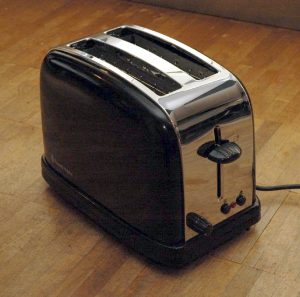
The Toaster Test: Fun(?) With Tech Writer Interviews

Toaster
The dreaded toaster, destroyer of interviews.

Back when I ran the Technical Publications group at WEITEK, I sometimes hired technical writers, as one does. Seems like a straightforward task, right? Well, it wasn’t. Not even close.

One of the first guys I interviewed was a technical writer with fifteen years of experience. He’d never written a document. Not one. What?

He’d never even considered writing documents. The concept of technical writers actually writing things struck him as novel, intriguing, and a little disturbing.

Let me explain. In many companies, technical writers aren’t writers at all. They do copyediting, desktop publishing, and review management. The writing is done by people with product expertise: engineers, marketers, or product managers, mostly.

Everyone’s a Tech Writer Now
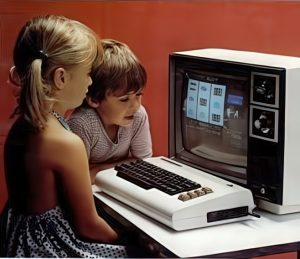
Everyone's a tech writer
Well, not quite everyone.

What’s up with the job title, then?

Originally, “Technical Writer” meant what it said. The technical writer was expected to write the document from scratch, using experts as sources of information, not as uncredited authors.

All that changed in the 1980s. If you were a publications secretary, a technical secretary, or someone who did both desktop publishing and light copyediting, congratulations! You’re a technical writer now!

But the technical writers who actually wrote technical documents didn’t get a title change, so everyone had the same title.

Finding Writers Who Can Write

Sorting hat

At WEITEK, the technical writers learned how the product worked and then wrote it up so our customers could understand and use it. We leaned on experts, of course, and on product specifications and other internal documents, but the text was ours.  But most of the technical writers I interviewed didn’t know how to do this. Some of them thought they could, but they couldn’t. They were wonderfully plausible in interviews, too!

What to do? A candidate’s portfolio and their tales of what they worked on doesn’t give much insight about who wrote the rough draft. So I thought it over and concluded that all I needed simple test to see if they grasped the rudiments of the craft. At a minimum, this would exclude the no-hopers.

The Test

In the end, I came up with an assignment that a reasonable candidate could dash off adequately in a few minutes:

Write step-by-step instructions for making a single slice of toast in a specific toaster of your acquaintance. Assume the toaster is already installed and that the reader is familiar with the concepts of toast and toasters.

You may think that plenty of schoolchildren and random people off the street could glide through this task without any difficulty. You’d be right. But you’d be amazed by how many people fail.

How They Failed

The most common blunder was to write cheerful, salesy, condescending copy that made the author sound like they were talking to children while on drugs. “What a wonderful world it is that has toast in it! And in so many dazzling shades of brown, too!” They usually managed to omit at least one step while they were at it.

Others insisted on writing stuff I hadn’t asked for. Telling me how to unbox and install a toaster when I told you not to doesn’t win you any points. If I wanted time wasted, I’d do it myself.

In theory, lots of people might pass this simple test without being up for the demanding work I had in store for them. Maybe I was lucky, but the people I hired were able to do the work.

The Mindset of Writing Simple Instructions

What I was looking for was something in this ballpark:

      1. Put a slice of bread in one of the slots at the top of the toaster.
      2. Set the browning dial to somewhat less than halfway to the darkest setting if you haven’t discovered your preferred setting yet.
      3. Push the lever on the side all the way down. It will pop up when the toast is done.
      4. Remove the slice of toast or, if it is underdone, repeat the process and toast it some more.

There’s not much point in adding more detail for readers who are already familiar with the concepts of toast and toasters, which includes almost everyone. I’d have mentioned “one or two slices” or “one to four slices” (depending on the toaster) if I hadn’t specified the problem as being about a single slice of toast.

I personally don’t write instructions as if the reader is implausibly ignorant. Not until the lawyers force me to. I figure that if a reasonably bright and attentive ten-year-old could follow my instructions without much trouble, I’m done. (By the way, it’s worthwhile to put this sort of thing to the test from time to time to see if your instructions are as coherent and actionable to random users as you think.)

Sure, some people grow up in corners of the globe without electricity but gain a reasonable amount of education. At some point they encounter a toaster for the first time. I suspect my instructions would be adequate even for them, though I’d give them some additional thought if they were a larger part of my target audience.

Maintenance, crumb trays, troubleshooting, safety notes, warranty information, installation, and so one don’t belong in the “Making Toast” section and are outside the scope of the exercise, but would appear elsewhere in a real booklet.

The Aggressively Defensive Writing Strategy

Robert Wilhelm Ekman, Gustav II Adolf and His War Council at Würzburg, Public domain, via Wikimedia Commons

Strategy matters. If we’re not careful, our technical writing will be full of uncaught errors, wishful thinking, misplaced emotion, inaccurate promises, and unhelpful vagueness. This not only irritates our customers, it lowers our credibility: “Are they lying to us, or are they just incompetent?”

How does this happen? In several ways. It happens because we plunge into writing projects before we’re up to speed on the topic, then unknowingly write up our misconceptions. It happens when uncritically believe what the experts tell us. It happens when we need to say something, so we say…something.

And if that weren’t enough, the product changes out from under us. Things change and we aren’t told. Things that were supposed to happen, don’t, and we aren’t told. The scope shifts. The intended audience shifts. The sales pitch shifts.

“But the review process will save us, right?” Don’t count on it. The review process is weak, necessary but not sufficient. It finds only a fraction of the blunders. This is a fact of life. Exhorting others and ourselves to be more perfect doesn’t work. It just adds denial to the mix.

Most reviewers are capable of only one solid review, if that. With the best of intentions, their eyes will glaze over when they try to go over it thoroughly a second time. They’ll be able to focus only on the changes, and then only if they’re clearly marked. And this applies to us, too. We hit diminishing returns quickly.

So what can we do?

Defensive Writing

I usually write my documents from scratch: no one took a stab at it before I did. I often have a requirements document for the feature I’m documenting, and maybe an engineering spec, but these are internal documents not intended for customer use.

Still, starting from a blank slate lets me to choose my ground and pick my battles. One thing I pick is the avoidance of self-inflicted wounds. I call this aggressively defensive writing.

So here are my  guidelines for aggressively defensive writing:

Don’t make promises about the future (beyond the next release)

My documentation (and maybe yours) is supposed to be nonfiction. We can make it considerably less fictional by leaving out all the aspirational stuff that isn’t locked and loaded. If I’m documenting an upcoming release, that counts as the present day for my purposes, but the release after that doesn’t. I try not to mention it at all.

Similarly, I don’t list dates except for the actual release I’m documenting, and then reluctantly and only in one place. If I start scattering dates all over the place, I’ll surely miss some when it’s time to update them.

Aspirational dates that use only the month or quarter are usually a mistake with technical documentation. No one really expects a how-to product document to embed roadmaps and release schedules. Such things are corralled in their own documents.

Be Sparing with Placeholders

One fact of life in the writing business is that some of the stuff you need to remove before the document goes live, isn’t. Customers and management will see it.

Therefore:

  • Don’t put anything you wouldn’t want to be read out at a customer meeting in your drafts. No jokes, no grumbling, no whining.
  • Use as few placeholders as you can. A “TBD” here and there is often unavoidable, but you don’t want “picture goes here” placeholders, especially if they’re still there months or years later. You’re better off if the placeholder was never there in the first place.

Don’t Use Bad Text

When you need to say something in the current section but don’t have the information you need to say it fair and square, it’s tempting to either make something up that matches how you hope the product works, or to put in some kind of vague gibberish. Both are mistakes.

If you use wishful-thinking text, even people who know better are likely to accept it if it sounds logical, so it’s likely to slide through review uncorrected. This may be even more true of gibberish, since reviewers won’t know what to do, exactly, with your fluffy meaninglessness.

Set the Scope of the Document to Match the Available Information

When writing up a new feature that hasn’t left the lab yet, I’d like to give the customer some best-practices advice for gaining the greatest practical value from it, but this isn’t actually known yet. What to do?

If I can get my hands on the feature and put it through its paces as a customer would, which I always do if I can, I’ll have at least an inkling of what the best practices are. If not, I’m just guessing.

Either way, having a formal “Best Practices” section is premature. It’s a task for later, when we update the document. As for my tentative best practices, I give them as examples, without using the “Best Practices” label. That’s honest.

This approach of documenting only what we actually know unless positively forced by necessity is especially effective if we structure our documents to present this limited scope as if it were perfectly natural, removing vestiges about what we wanted to include, but couldn’t.

No Pro Forma Content

Which brings me to my next tip: No pro forma content. Sections that don’t say anything useful to the customer shouldn’t exist. Unless forced, don’t take official templates or your predecessor’s willingness to waste the customers’ time as gospel.

For example, I almost never use a “Conclusions” section and I often don’t have an “Introduction” section, either. (I always start a document with at least one introductory paragraph, but I don’t bother with a heading unless the introduction becomes pretty massive.) I never use the “tell them what you’re going to tell them, tell them, then tell them what you told them” format, either. It just trains the readers to ignore your summaries.

Omitting pro forma content is also useful when dealing with reviewers. By presenting them with nothing but real content that’s supposed to provide genuine information to the customers, and by minimizing repetition, they’ll know that you mean it.

“Just the Facts, Ma’am”

Dragnet was a 1960s cop show where the detectives would remind people to focus on the facts. “Just the facts, ma’am” entered popular culture. In technical documentation, it’s it’s good advice. Instead of toying with the customer’s emotions through hype, or assuaging our own emotions by making excuses, it’s best to stick to telling the reader what the product actually does and showing them how to use it, and doing it as simply and clearly as we can.

We don’t have to be boring about it, but it’s a mistake to tell the customer that a feature is wonderful or exciting. They won’t take our word for it, and every time they reject one of our claims, they trust us a little less. We should be telling them things they can trust, in a tone that sounds trustworthy, never pushy or desperate.

This comes in especially handy when describing nasty bugs or frustrating limitations. It may take a couple of passes, but laying out the facts of the product’s misbehavior calmly, even blandly, is our friend. Yes, the news may upset the customer, but they should be upset on their own initiative, not because we prompted them!

Longer Documents

With short documents, especially ones that can be done in a few hours, the above advice is probably good to go. Longer ones need a scaffolding of structure and especially placeholders to keep you and everyone else from becoming lost. So the “no placeholders” rule has to be dispensed with for a while.

My preferred method is to create an outline and then instantly convert it into a storyboard: that is, to convert it into a formatted though rather empty document, usually in Word.

For example, the document’s headings would be converted into standard Word styles like Heading 1, Heading 2, and so on. The synopsis of each section would get a custom style called Synopsis, which I’d put into italics to set it off from the actual draft. This allows people other than myself to understand what’s being asked for in each section. Once a section is fully drafted, I delete its synopsis.

If I’m asking other people to provide tables, screenshots, or diagrams, I’ll add empty rectangles with a description of what I want, or tables with just a header row, to show them what I’m looking for and the context in which it’s used. If I’m going to provide them myself, I often omit these placeholders, since their need will be obvious to me as I write the section.

The trick here is to provide enough structure and a synopsis of what each section is supposed to hold, but without pretending to be the actual content. By putting the sadly inevitable placeholder material in its own styles, fonts, and perhaps colors, it’s less likely to slide into the shipped document.

Technical Writing’s Big Secret

How I Did It by Victor FrankensteinFrom time to time a manager or engineer asks me the following question: “Most technical writers don’t have much technical training. How do they write documents for products they don’t understand?”

The answer is, “They don’t. If you don’t understand it, you can’t explain it.”

The whole point of a technical document is that it tells the reader how to use a product. This can only be done by a writer who knows how to use the product.

Sure, if the product can be used successfully by a technically unsophisticated reader, the manual can be written by a technically unsophisticated writer. It helps if the writer has enough background to understand the designers’ technical jargon, but this isn’t absolutely necessary. Someone is going to have to translate it for the layperson anyway, and it doesn’t have to be the technical writer.

But things get complicated when the readers are sophisticated, and use the product in a sophisticated way. For example, a statistical software package cannot be adequately documented by someone who knows nothing about statistics. An integrated circuit cannot be documented by someone who doesn’t understand circuit-board design.

People sometimes assume that “being technical” is a personality trait. It isn’t. Only relevant training and experience counts. I’m very technical when it comes to digital electronics, but I know nothing about biochemistry. I once had a summer job in a biochemistry lab. I learned how to run the autoclave and perform other tasks, but I never grasped what the researchers around me were trying to learn, or how their experiments achieved this.

The Big Secret

The big secret in technical writing is that most of the harder documents aren’t written by the technical writers at all. In fact, many “technical writers” never do any writing. Instead, the drafts are written by engineers or marketers. The technical writers perform editorial functions and provide publications services—copy-editing, desktop publishing, review management, and so on.

The phenomenon of technical writers who do not write is so pervasive that I once interviewed a technical writer—a man with 15 years of experience at a prestigious high-tech company—who was visibly startled when I told him that, in my group, we wrote documents from scratch. He’d never heard of such a thing.

Job titles betray no clue about a technical writer’s qualifications. Regardless of the writer’s background, background, the title is “Technical Writer” or “Documentation Specialist” or even the vaguely Orwellian “Information Designer.” Or possibly “Desktop Publishing Specialist” or “Secretary.” But managing your documentation projects requires that you know who is capable of doing what.

The problem is that the demand for technical writers greatly exceeds the number of technically trained people who prefer writing to other work. Non-technical folks have been sucked into the vacuum. Often these are college graduates with a liberal arts background. They may be excellent writers on their own turf, but nothing in their training prepares them for the world of high-tech.

Who Writes the Draft?

The first draft must be written by someone who can understand the product. There is no getting around this. If you can’t find a technical writer who can do it, someone on your technical staff has to.

The technical competence of your technical writers determines your entire plan of attack. Writers who are technically competent should be given the entire documentation task, so you can free up more design resources. Ideally, the technical writer should be brought in early, so the documentation can take form well before it is released to customers. This aids both the design and the selling process. It’s usually possible to have a mostly-final draft well before the product is shippable.

If you don’t have writers who can write the draft, the task must be assigned to someone who can. This should be planned for from the outset. Writing is difficult and slow. It cannot be done in an overworked engineer’s “spare time.” This requires planning and management.

A technical writer should be assigned to maintain the document. My rule of thumb is that half the labor of creating a document goes into writing the rough draft, and the other half goes into smoothing it up: editing it, laying it out, correcting it, and getting it out the door. This means that the not-so-technical writers can still shoulder half the burden of even the most insanely technical product. Also, while writing the rough draft is painful, the endless series of revisions and small corrections that follows is even worse. Technical writers are used to it.

Finding Technical Writers Who Are Technical

In the high-tech industry, there are three categories of technically inclined writers.

  1. Engineers who prefer technical writing  are as rare as hens’ teeth. I am one. I’ve met three or four others so far in my career. Such writers have great advantages. Simply by surviving a college engineering curriculum, they have demonstrated that they can absorb difficult material from textbooks and mumbled lectures, and ought to be able to bring themselves up to speed quickly on a new design or new technology.
  2. Engineering technicians often make great technical writers. They are comfortable around engineers and have a lot of applicable hands-on experience. They know they don’t have the same training as the engineers and aren’t expected to, so they tend to be up-front about material that goes over their heads.
  3. Experienced technical writers who have picked up skills on the job. The difficulty lies in distinguishing them from writers with  shallower experience who perform well at job interviews.

The Toaster Test

I used to test candidates by asking them what topics should be covered in the operating manual for a toaster. At first, I thought this test was so easy it would be worthless, but it turned out that many candidates who were well-spoken in interviews had no grasp of the fundamentals of clear writing.

For the record,  I figure that a toaster manual ought to contain the following sections, many of which would be no more than a paragraph in the finished document:

      • Theory of operation (what a toaster is for—no more than a sentence unless you expect the product to be used by aliens)
      • Unpacking and setup
      • Purpose of each control
      • Operation
      • Safety
      • Cleaning and routine maintenence
      • Things that shouldn’t be cooked in a toaster (if not covered under “Safety”)
      • Recipes, if by some miracle you can think of something new and tasty that would increase the reader’s enjoyment of the toaster
      • Troubleshooting, which will be on the level of, “It works better if you plug it in” unless the design is seriously flawed.
      • Specifications: voltage, amperage, physical dimensions, color choices (though it’s a little late now).
      • Contact and warranty information.

Competent technical writers can dash off something like this in a few minutes. Some can dictate one without stopping to think. But I received some efforts that were truly ghastly.  Not in terms of spelling, punctuation, or sentence structure. These were perfect. It’s just that none of the sentences expressed anything that a reader would have cared to know.

Speaking of tests, I know some people who screen resumes and cover letters by looking for errors in punctuation and grammar, and disposing of anything that isn’t 100% perfect. This is pointless. Everyone in the publishing industry knows that people are terrible at finding errors their own work; that’s what reviewers and copy-editors are for. The only thing that typos in a resume and cover letter mean is that the writer was working alone.

You may want one anal-retentive person on your team whose job is to find such errors, but if you saddle yourself with an anal-retentive writer, good luck ever getting them to finish a project.

Conclusions

    • Drafts of technical documents must be written by someone sufficiently technical to use the product.
    • If your writers aren’t this technical, some or all of the manual must be written by someone else.
    • Knowing the technical limits of your writers will allow you to assign the chore of writing the first draft correctly.

Care and Feeding of Technical Writers

A Guide for Marketing and Engineering Managers

mouse_in_maze_with_cheeseHaving trouble getting documentation written? This guide is written for managers who are not technical writers, but who have been assigned the task of ensuring that documentation happens.

What Kind of Technical Writer?

First off, keep in mind that many technical writers are not writers at all! Some do nothing more than the desktop publishing and light copy-editing that you would expect from a secretary. This shades by imperceptible degrees through increasing levels of editing and rewriting until we reach the true writer, who writes the documentation from scratch, based on hands-on experience.

The more technical the specialty, the harder it is to find someone to write documentation from scratch. There just aren’t many writers with the necessary technical background. Most technical writers were liberal arts majors. Many are gifted writers, but no one can write clearly about a topic they do not understand, so their talents are not easy to bring to bear.

Technical topics can be learned, of course, and many writers are self-taught or have received training in the relevant topics. Support for this  common-sense approach varies from company to company. In the short term, you’re stuck with what you’ve got (though as a manager, it’s your job to make the long term turn out the way you want it to).

Working With the Non-Technical Technical Writer

When the technical writer on your project cannot master the technical material being presented, the draft must be written by somebody else. This draft is vitally important, and the person it needs to be given the time and resources to do a good job. The technical writer will be able to clean up the draft, but without a deep understanding of the subject matter, there is a limit to what can be done, especially in the case of omissions. More than likely, no one will catch omissions unless the document is structured carefully at the start.

The technical writer should be involved in blocking out the documentation. Most technical documents have a fairly simple structure that can be settled upon without actually knowing the details of how anything works. For example, when doing chip or board documentation, I start by drawing a block diagram that shows the product from the customer’s point of view. The document then has one chapter per major block, plus an introductory chapter. Material that is not shown on the block diagram, such as instruction set descriptions, register descriptions, and AC/DC specifications, follow along after the one-chapter-per-block section. Procedural issues (installation, troubleshooting) don’t fit on the block diagram, either, but a flow chart of what the user has to do serves a second block diagram, which you treat in the same way as the first one.

There are other ways to do this. My point is that, while this is not rocket science, people manage to get it wrong anyway, by not attending to the fundamentals. Your technical writer ought to be of use here.

Ideally, the people in charge of the various sections of the draft should know what’s expected of them, down to an almost fill-in-the-blanks level. By this I mean that the headings, tables, and diagrams should have been roughly blocked out before writing begins. By breaking down the task in this way, the draft tends to go more smoothly, and fewer items are omitted. In addition, people who are not professional writers tend to be intimidated by writing projects, and breaking them down tends to reduce the fear factor. It also gives management a list of elements that the contributors can be held accountable for, so you don’t have to accept vague assurances that the draft is coming along fine. Bits and pieces will get knocked off the list if any real progress is being made.

The end-user should be kept in mind at all times. Everything in the document should help the reader to understand the product. Early in the writing cycle, it’s tempting to bloat up the document with junk copied verbatim from the technical specification or other readily copied sources, or to use meaningless repetition. This doesn’t help the end-user.

(If you must create a false sense of progress, I recommend that old standby, the bald-faced lie. While it sullies your reputation, it leaves the documentation intact.)

Working with the Technical Technical Writer

Highly technical writers should write their own drafts whenever possible. They tend to be more willing and less overworked than the engineers and marketers who would otherwise have to do it. Sometimes these technical writers have the skills to structure their documents with relatively little feedback from the group, and can get to work without the elaborate outlining described above. I rarely use outlining myself; just unstructured lists. But I’ve been doing this forever and can visualize the finished product clearly without such aids. But a detailed, structured outline is useful when there’s any doubt, to keep everyone on the same page.

It is easy to starve a technical writer for information. If anything interferes with the technical writer’s research, progress will slow dramatically. I have seen projects where the lead engineers’ time was considered so precious that the technical writers were expected to not talk to them at all. Instead, they were expected to be psychic, or reverse-engineer the product, or produce a work of fiction, or something. This always results in bad documentation, though it probably doesn’t matter very much—this level of mismanagement means that the project is doomed in any case.

Reviews

The technical writer will edit and, unless there is a separate layout department, lay out the document in its proper form. Both editing and layout always introduce new errors, so the result should be reviewed very carefully.

Reviews rarely appear on anyone’s schedule, and the most indispensable reviewers are the ones who are most overbooked, so they go through the document in a blinding rush. Of course, having employees who feel too rushed to do a good job is symptomatic of management problems: as a manager, you should work to fix this.

Documentation should be read slowly, and at least one person should check the math in all the examples and try all the examples and procedures. When reviewing, anything you have to read twice should probably be flagged; it probably needs to be reworded for greater clarity.

New hires and anyone else you can find who hasn’t read a given document before should be used as reviewers. Reading the entire documentation set from cover to cover is one of the quickest ways to bring a new team member up to speed, so it’s a win-win policy. Also, people who have reviewed a document before are reluctant to do it again, and even if they do, their familiarity with the old version means they miss things that a newcomer wouldn’t. This also means that no one is more blind to errors in a document than its author.

Reviews also introduce errors, especially in organizations where, in the case of disagreement, any reviewer outranks the author. Rather than empowering absolutely everyone to mess up the document, one person needs to be in charge.

Speed

I’ve done all kinds of writing, and technical writing is one of the slowest forms of writing, second only to poetry. In general, the more complex and difficult to understand the product is, the slower the writing. In engineer-to-engineer communication, it’s fairly standard to assume 1-2 finished pages per person-day. That is, a single writer would be expected to crank out 250-500 pages per year. With easier content, the pace can be greater.

My own rate is probably slower than this, because my writing is fairly terse, and I avoid unnecessary repetition. Sometimes I even achieve a valuable level of negative productivity. For example, on one project, when I was done cutting the redundancy and useless bloat from a document set, I’d reduced it by over 90%—from 5,700 pages to 560! As you can imagine, the increase in usability and maintainability was at least in proportion with this reduction in size. It went from something that no customer could read, and no employee could review, to something that could.